
CertainPath Scoreboard
How to Enter your annual revenue:
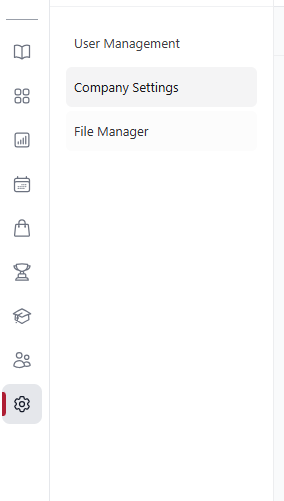
Select the Gear Icon on the left hand side Rail in HUB +After selecting the Gear Icon Select Company settings.
Once in the company settings select Annual Revenue from the settings list:
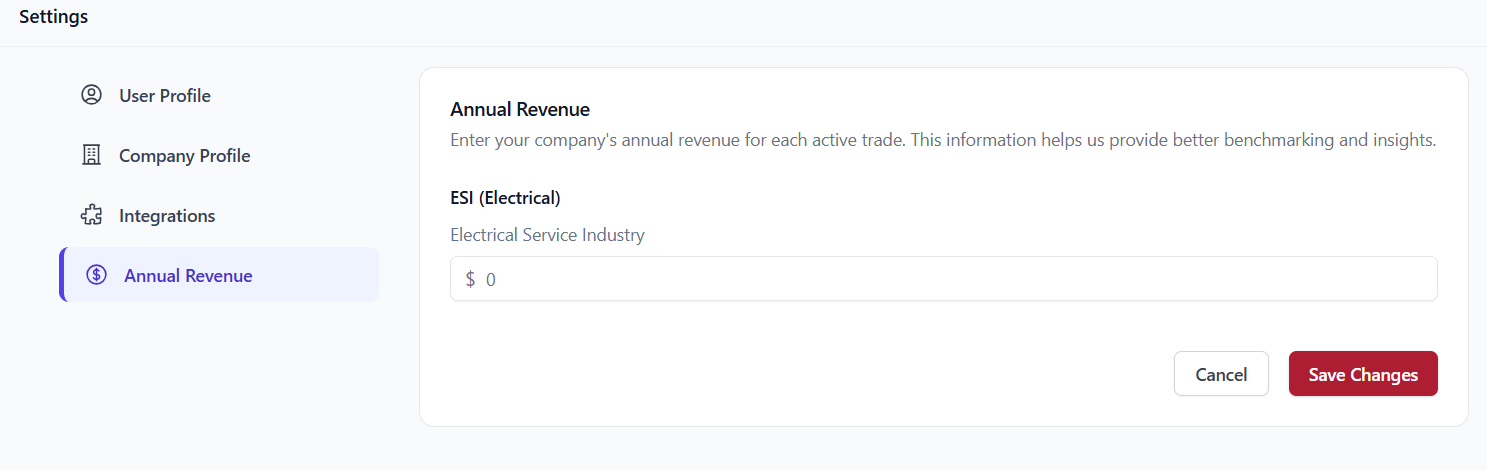
Enter in the Annual revenue for any active trade then select save changes. After the changes are saved navigate to the Trophy Icon on the left hand side rail to open the scoreboard.
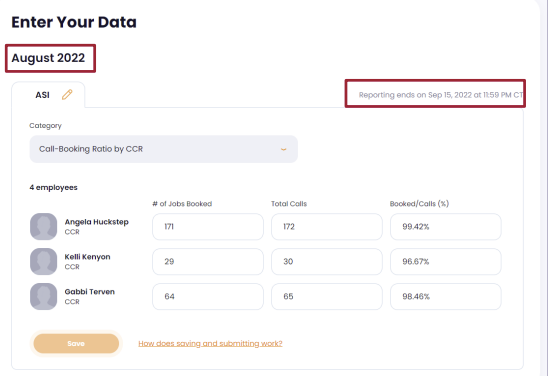
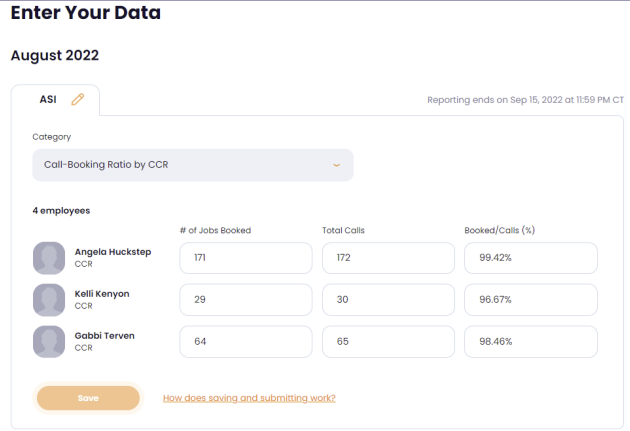
The Scoreboard will open in the Data Entry page. This is where you will enter your teams monthly data. The month for which the data applies can be seen above the first tab. On the right side of the panel, you will see the cut-off date and time to enter Scoreboard numbers for that month.
Please check your Team roster for accuracy before you begin to report numbers for the month. To do so, click the People tab.
Enter Your Data:
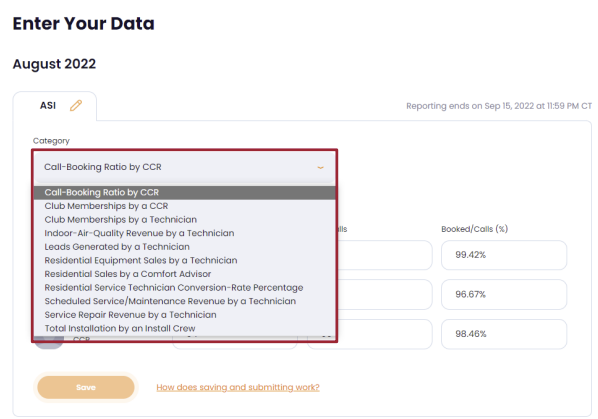
Go to the Data Entry tab. The Scoreboard now presents each Category for data entry by showing all the eligible employees for that Category. Select the Category to report from the dropdown box. Before you begin to enter numbers, confirm that all the employees for which you want to report are on the list for that Category. If an employee is missing from the list for a Category, it may be due to an incorrect assignment by role.
Enter the Numbers:
Enter the numbers for each employee by clicking in the box or by tabbing from one box to the next. The third number is the calculated value that will be seen on the Scoreboard. When all numbers are entered correctly, click Save to complete your category for that month. You may come back to this page during the reporting period to edit or add to this category as needed.
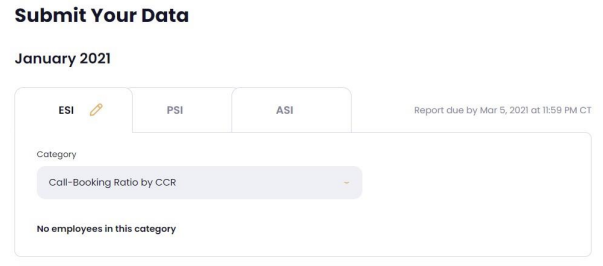
If you have multiple trades, you will see all of them on a single page. It is no longer necessary to exit the page for one trade after you have entered data, then enter a different portion of the Scoreboard to enter numbers for your other trades. You can access all trades from this page using the tabs. The tab that is active will show the orange pencil icon.
For more information or additional resources please visit: https://www.mycertainpathhub.com/resources/scoreboard