The Member Billing Portal in Hub+ shows your balance due, active subscriptions and full invoice history in one place. It is only available to Hub+ users with the Business Owner role.
Use this guide to find the portal, review your subscriptions, and open any invoice without contacting the billing team.
Role: Your Hub+ user must have the Business Owner role. Other users will not see Billing in the menu.
Access: You need your Hub+ login at hub.mycertainpath.com.
Not a Business Owner? Ask your company's Business Owner to check billing for you, or email [email protected].
Log in to Hub+.
Navigate to the Admin Menu
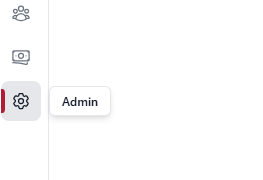
, Select Billing and choose Subscriptions or Invoices.
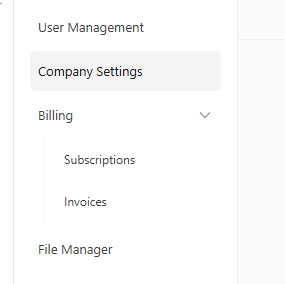
Select Billing > Subscriptions.
Check the summary cards at the top:
Balance due: the total you currently owe, with a note if anything is past due.
Active subscriptions: how many subscriptions are active.
Review the subscription list. Each row shows the Product, Trade, Frequency, Start date, Last billed date and Status.
On Billing > Subscriptions, find the subscription.
Open the row's ⋮ menu and choose to view its invoices.
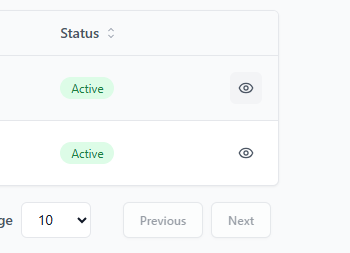
Hub+ opens the invoice list for that subscription.
Select Billing > Invoices (or open the invoices for a subscription, above).
Select an invoice in the list to open its details.
Select Billing > Invoices.
Scroll or page through the list. It includes every invoice on your account, not just the last three months.
Invoice emails show exactly what is due and how to pay.
If you financed an investment with CertainPath, your invoice also includes the full financing breakdown:
The amount financed
Your monthly payment
Every payment date in your schedule
I don't see Billing in the Hub+ menu. The Billing Portal is only available to users with the Business Owner role. Ask your company's Business Owner to check it, or email [email protected].
How far back does my invoice history go? The Invoices list shows every invoice on your account, not just the last three months.
I have a question about a charge or an invoice. Email [email protected] or reach out to your coach.
